Numbers you can trust.
Opens, clicks, replies and bounces for every email and every lead. Bot activity is shown, but never counted as interest.
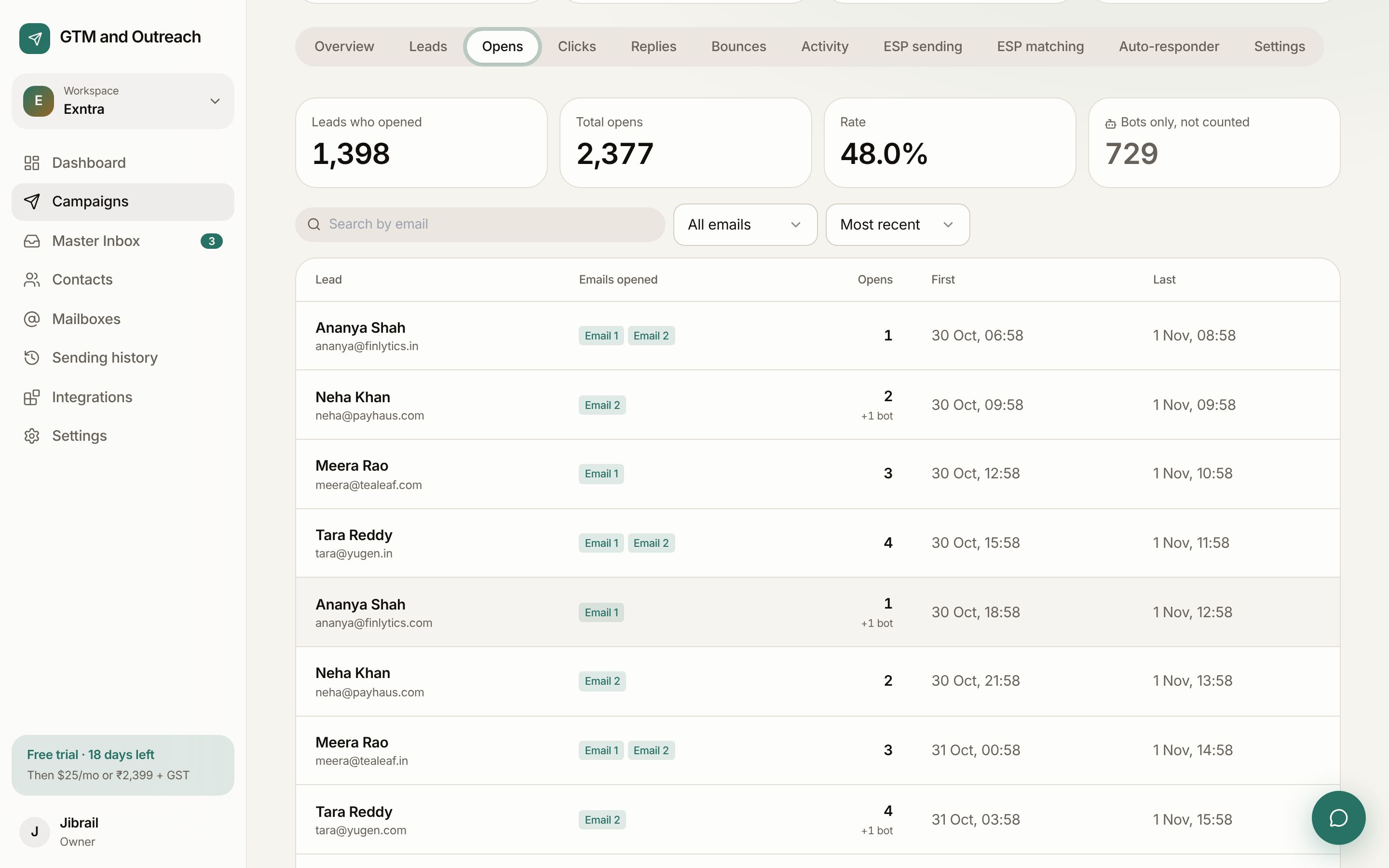
People and bots, told apart.
Many "opens" are machines. We look at how and when each open happens and sort it.
| Who opened | How we know | Counted |
|---|---|---|
| A person | Opened in a mail app or in Gmail (Google loads images through its own servers when a person opens). | Yes |
| Apple Mail Privacy | Apple pre-loads every email, whether or not anyone reads it. | Shown, not counted |
| Security scanners | Company filters open and click links to check them, often within seconds of delivery. | Shown, not counted |
A page for each signal.
Opens
Which lead opened, which emails, how many times, first and last time.
Clicks
Who clicked, which links and when. Scanner clicks set aside.
Replies
Who replied, to which step, and their label.
Bounces
Hard and soft bounces with the reason. Hard bounces are blocked everywhere.
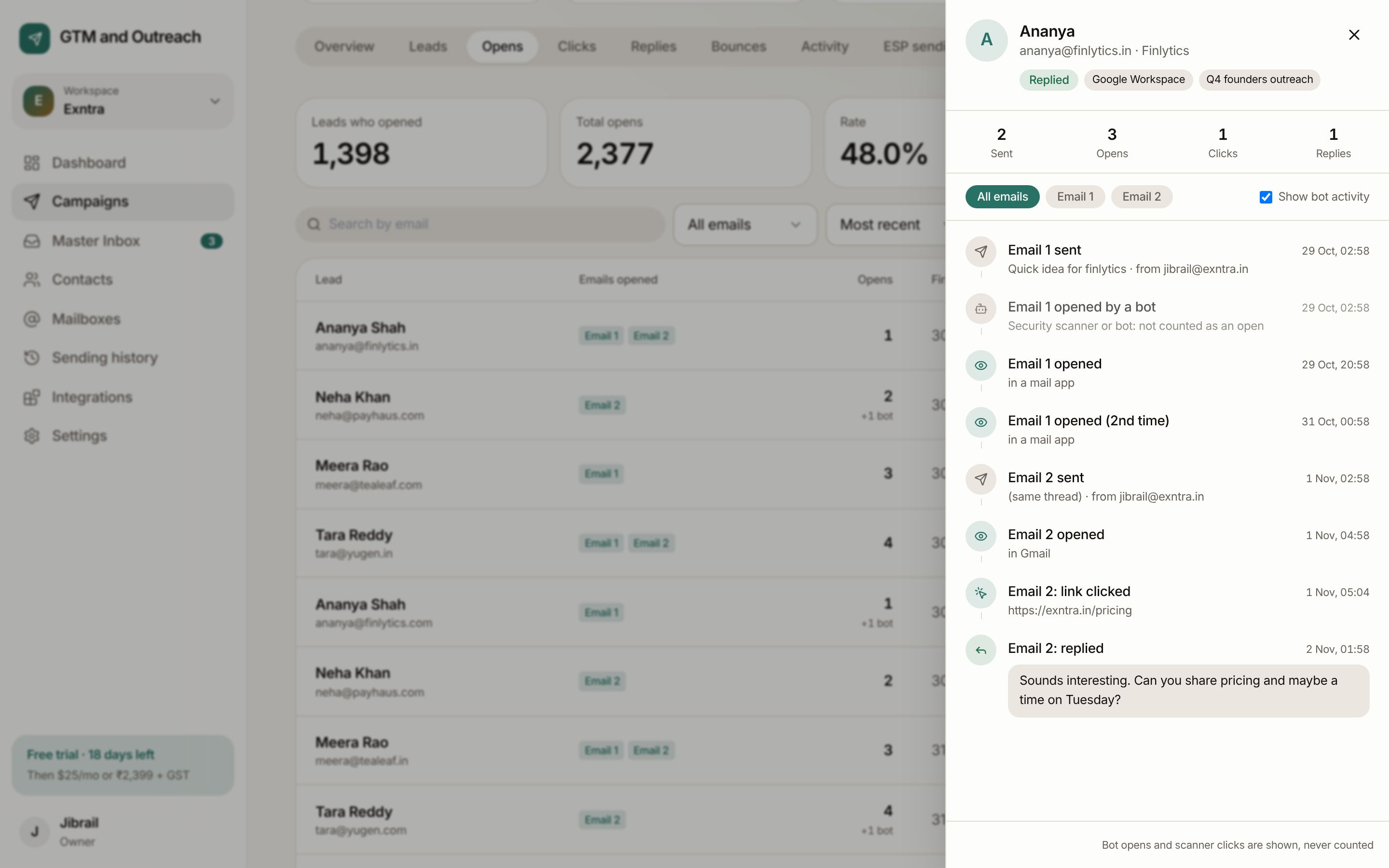
Every lead's story, step by step.
Click any lead, anywhere in the product, to see their timeline: "Email 1 sent", "Email 1 opened by a bot", "Email 1 opened", "Email 2: link clicked", "Email 2: replied".
- Per stepFilter to Email 1, 2 or 3 to see exactly which one worked.
- Across campaignsOpen a contact to see their activity in every campaign.
- ExportDownload sending history as CSV, or read it through the API.
Start sending this week.
Your first month is free and needs no card. Connect a mailbox, import a list and send your first test in about ten minutes.