Every reply, from every mailbox, in one inbox.
Stop logging in to ten mailboxes. Replies land in one Gmail-style inbox, already sorted, with your whole team on hand.
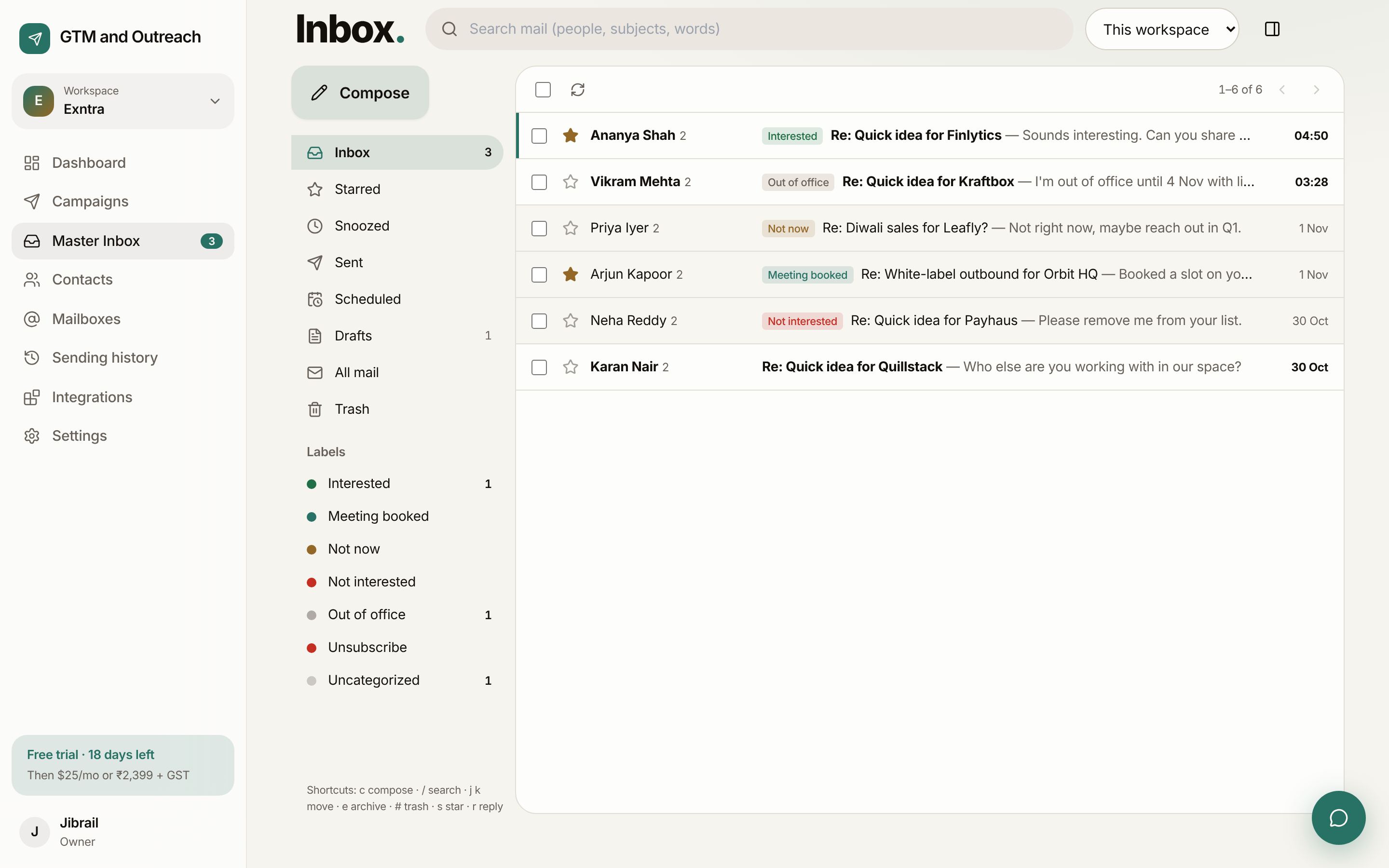
Sorted before you open it.
Out-of-office replies pause the lead until they're back. Unsubscribe requests block the address everywhere. Everything else gets a label you can change in one click.
- Interested
- Meeting booked
- Not now
- Not interested
- Out of office
- Unsubscribe
- Uncategorized
Familiar, fast, and built for teams.
Folders you already know
Inbox, Starred, Snoozed, Sent, Scheduled, Drafts, All mail and Trash. Search across people, subjects and words.
Reply from the right mailbox
Replies go out from the mailbox the lead wrote to, in the same thread. Drafts save as you type.
Keyboard shortcuts
c compose, / search, j k move, e archive, s star, r reply.
Notes and assignments
Leave a private note for a teammate, mention them, and assign the conversation.
Auto-replies
Answer common replies automatically after a natural delay, per label, keyword or campaign.
The whole story
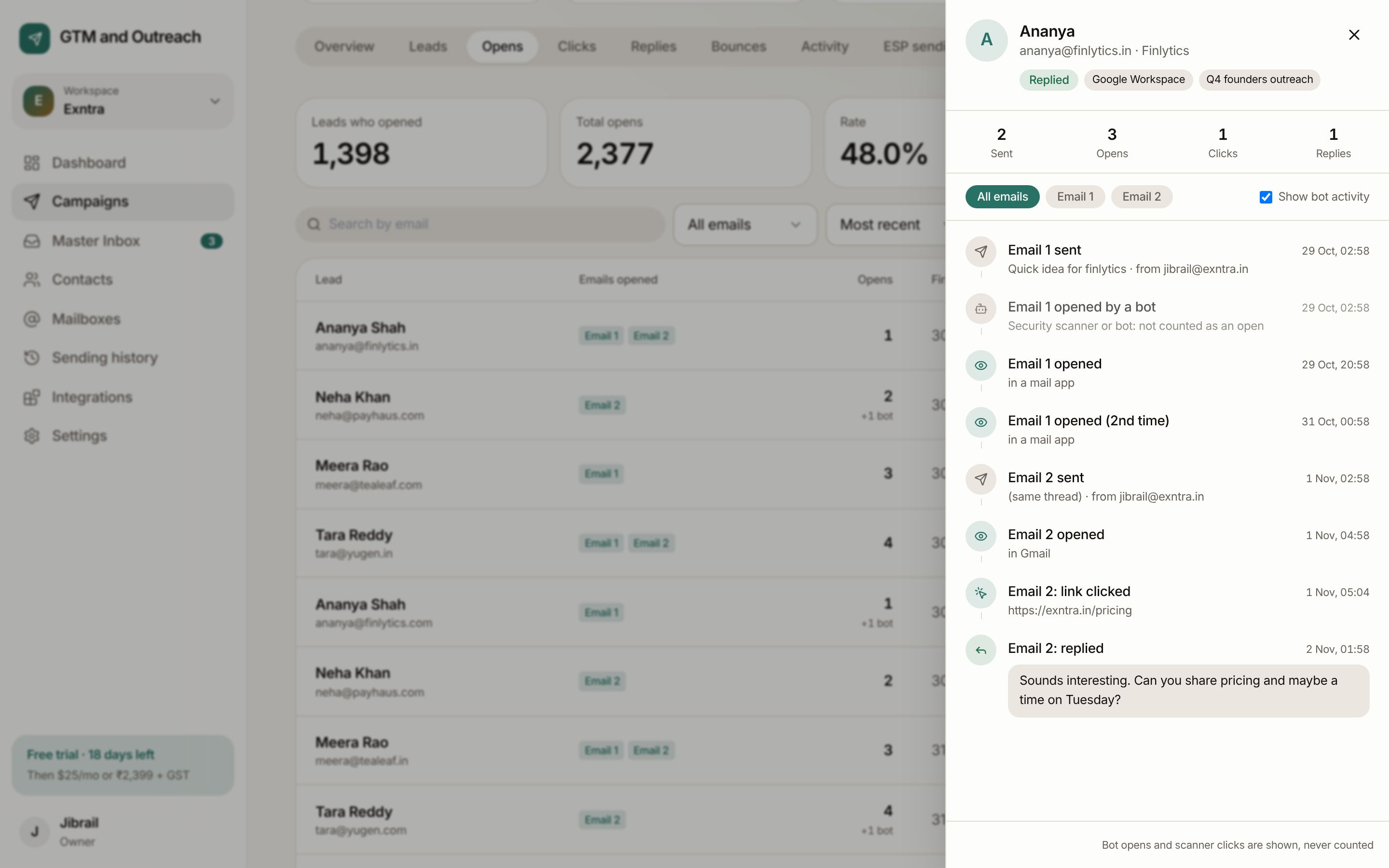
Open the lead's activity next to the conversation: every email, open, click and reply.
Know what happened before they wrote back.
The lead activity panel shows each step in order: when Email 1 went out, when it was opened (and by whom: a person or a security bot), what they clicked, and what they said.
Start sending this week.
Your first month is free and needs no card. Connect a mailbox, import a list and send your first test in about ten minutes.